
Replace scrolling with Scripture.
Bible Break locks the apps you choose until you read. Each verse you read unlocks a minute of screen time.

On iPhone and Android, with a 3-day free trial.
A day with Bible Break
You pick the apps that pull you away. From then on, Scripture comes first every time you reach for them.
7:02 AM
You open Instagram. It's locked.
The apps you picked stay locked until you've earned time. Instead of your feed, you see a reminder to read.
Read the Word
Time for a
Bible BreakTake a breath; invite the Spirit
to renew your focus.What you see when you open a locked app. 7:03 AM
You read Psalm 23.
Six verses, six minutes. Each verse you mark as read adds to today's time.
Psalm 23BSB min- 1The Lord is my shepherd; I shall not want.
- 2He makes me lie down in green pastures; He leads me beside quiet waters.
- 3He restores my soul; He guides me in the paths of righteousness for the sake of His name.
- 4Even though I walk through the valley of the shadow of death, I will fear no evil, for You are with me; Your rod and Your staff, they comfort me.
- 5You prepare a table before me in the presence of my enemies. You anoint my head with oil; my cup overflows.
- 6Surely goodness and mercy will follow me all the days of my life, and I will dwell in the house of the Lord forever.
Tap a verse once you've read it. It turns gold and adds a minute. 7:10 AM
Instagram opens.
Your minutes count down only while you're in the apps you locked.
12:40 PM
You get a heads-up.
A notification lets you know when your minutes are running low, so nothing cuts off mid-thought.
Midnight
Tomorrow starts with Scripture again.
Minutes reset each night. If you'd rather keep what you didn't use, turn the reset off.
Time for a
Bible Break
Take a breath; invite the Spirit
to renew your focus.
- 1The Lord is my shepherd; I shall not want.
- 2He makes me lie down in green pastures; He leads me beside quiet waters.
- 3He restores my soul; He guides me in the paths of righteousness for the sake of His name.
- 4Even though I walk through the valley of the shadow of death, I will fear no evil, for You are with me; Your rod and Your staff, they comfort me.
- 5You prepare a table before me in the presence of my enemies. You anoint my head with oil; my cup overflows.
- 6Surely goodness and mercy will follow me all the days of my life, and I will dwell in the house of the Lord forever.
Inside the app
Screens from the app itself, with real reading behind them.
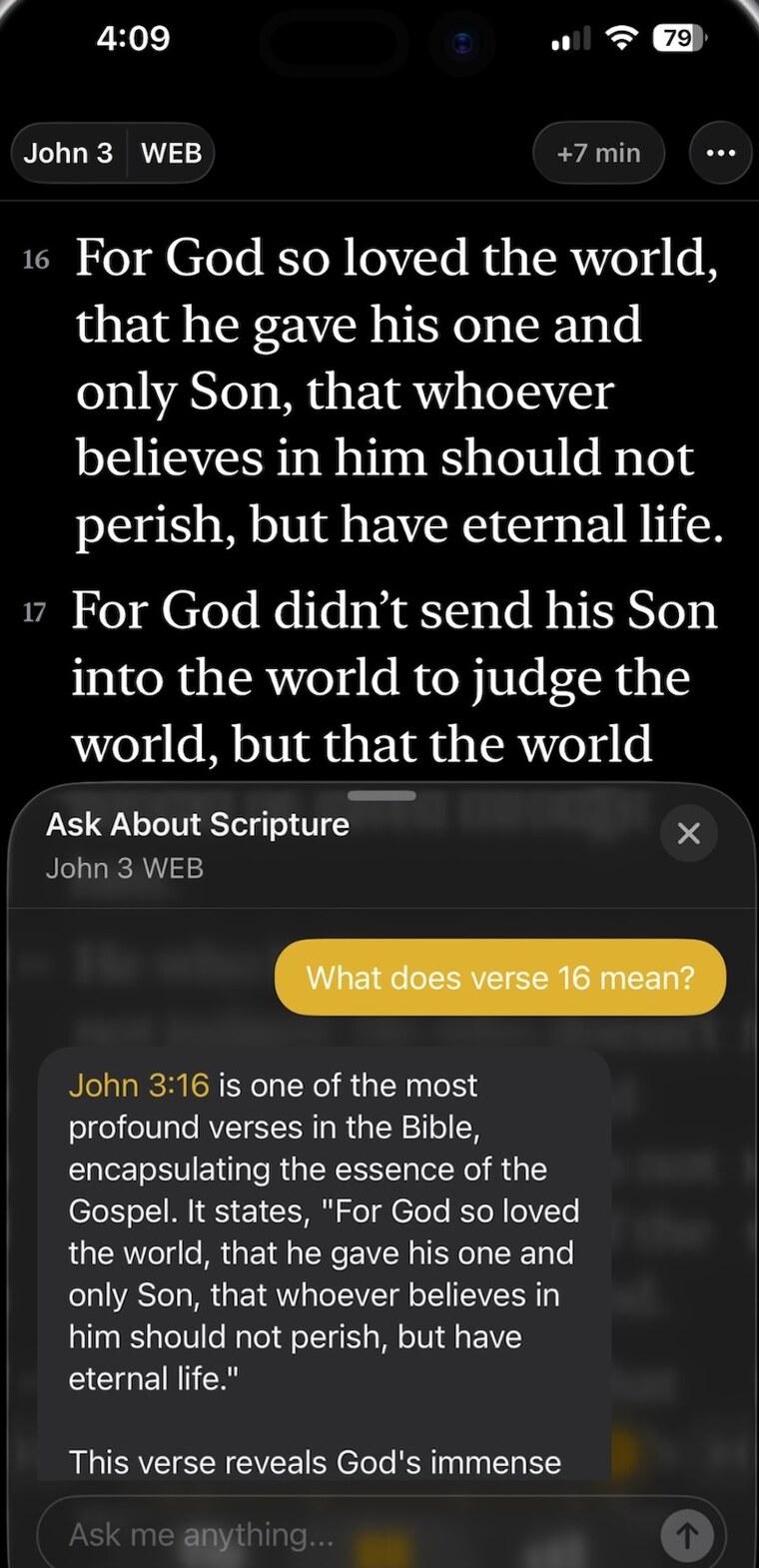
Ask about any verse
Tap Explain on a verse and get a clear answer without leaving the chapter.
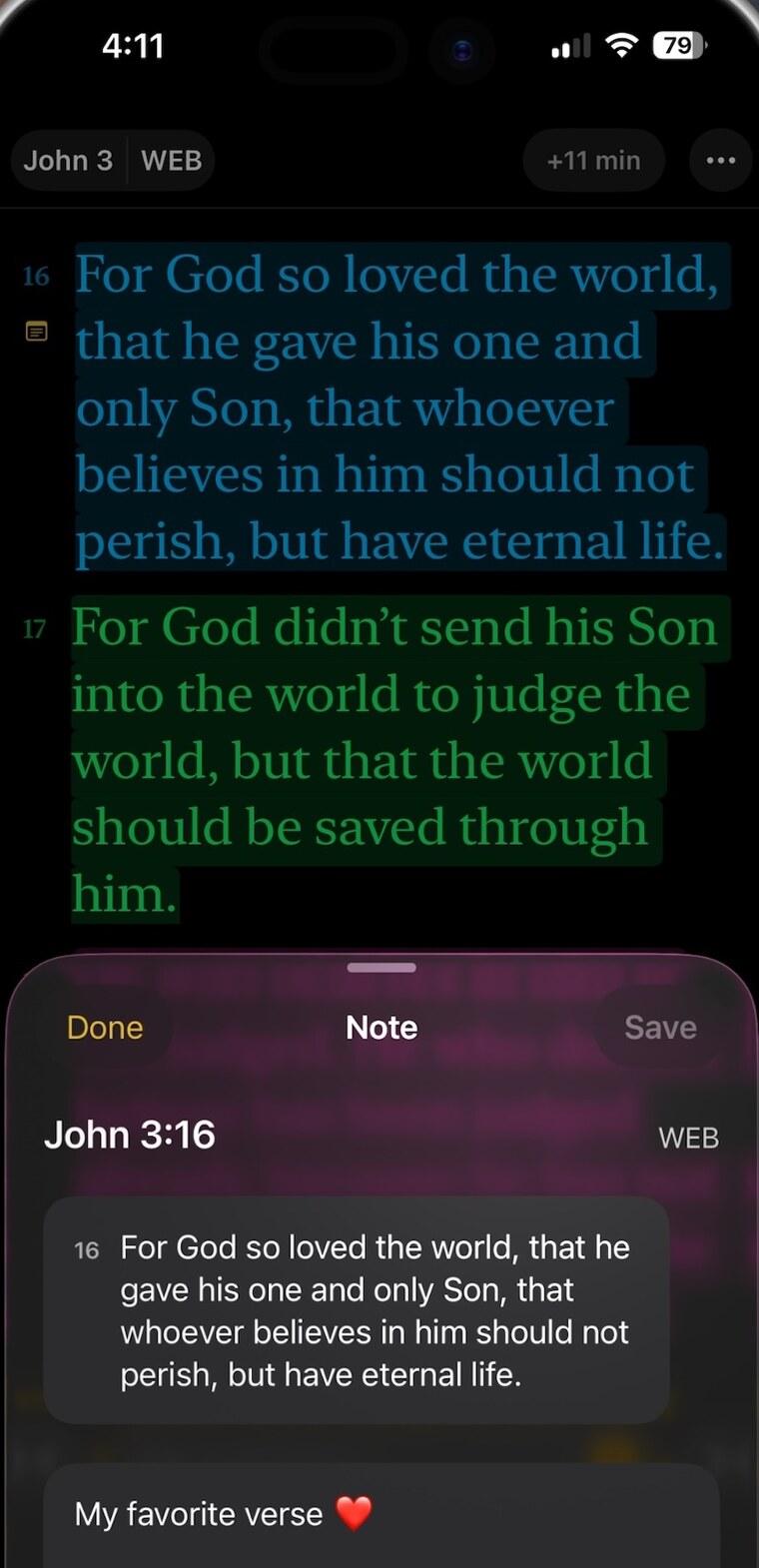
Highlights and notes
Mark what stands out and write down what it means to you.
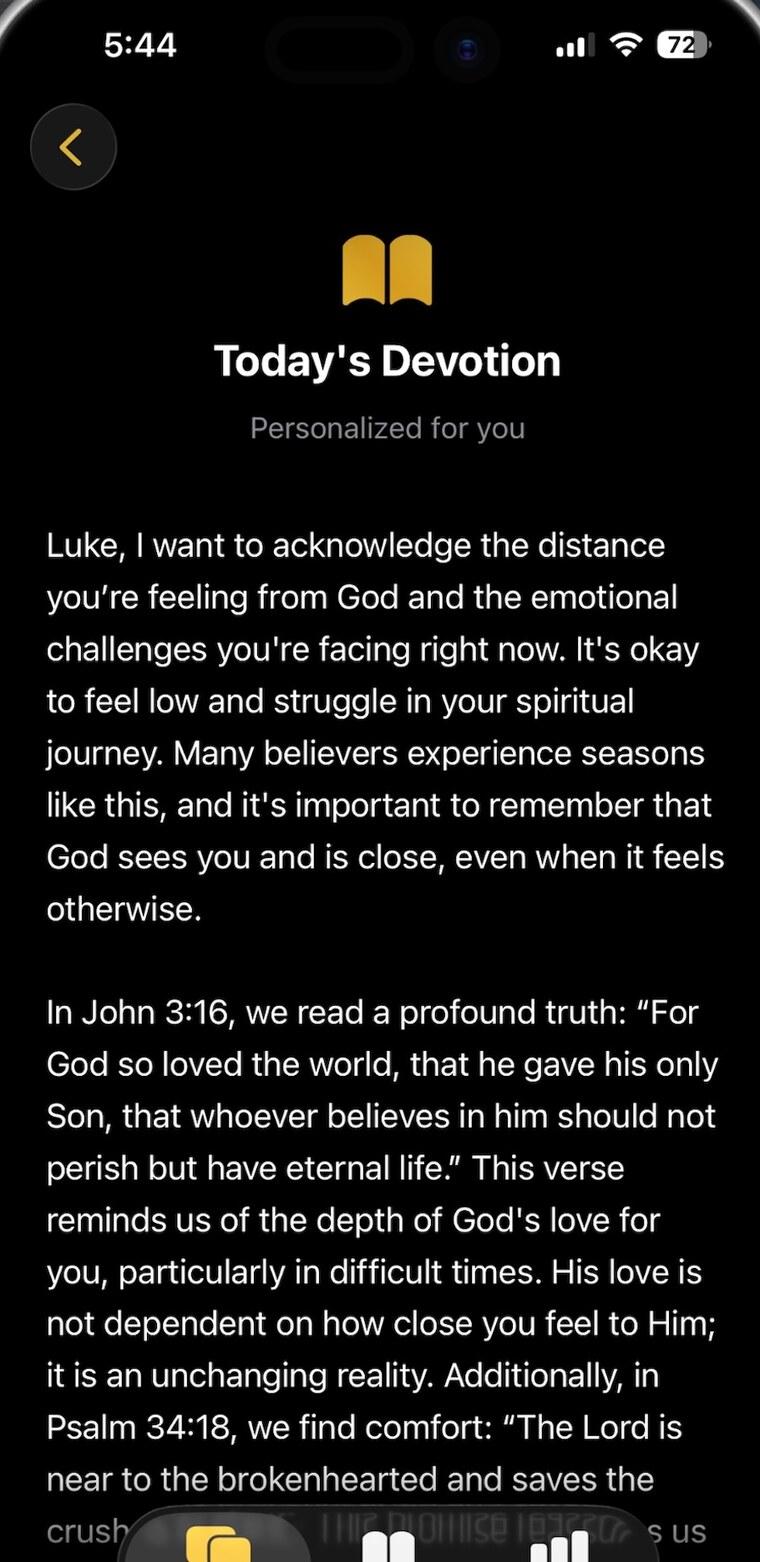
A devotion for today
A short devotion each day, personalized for you and rooted in Scripture.
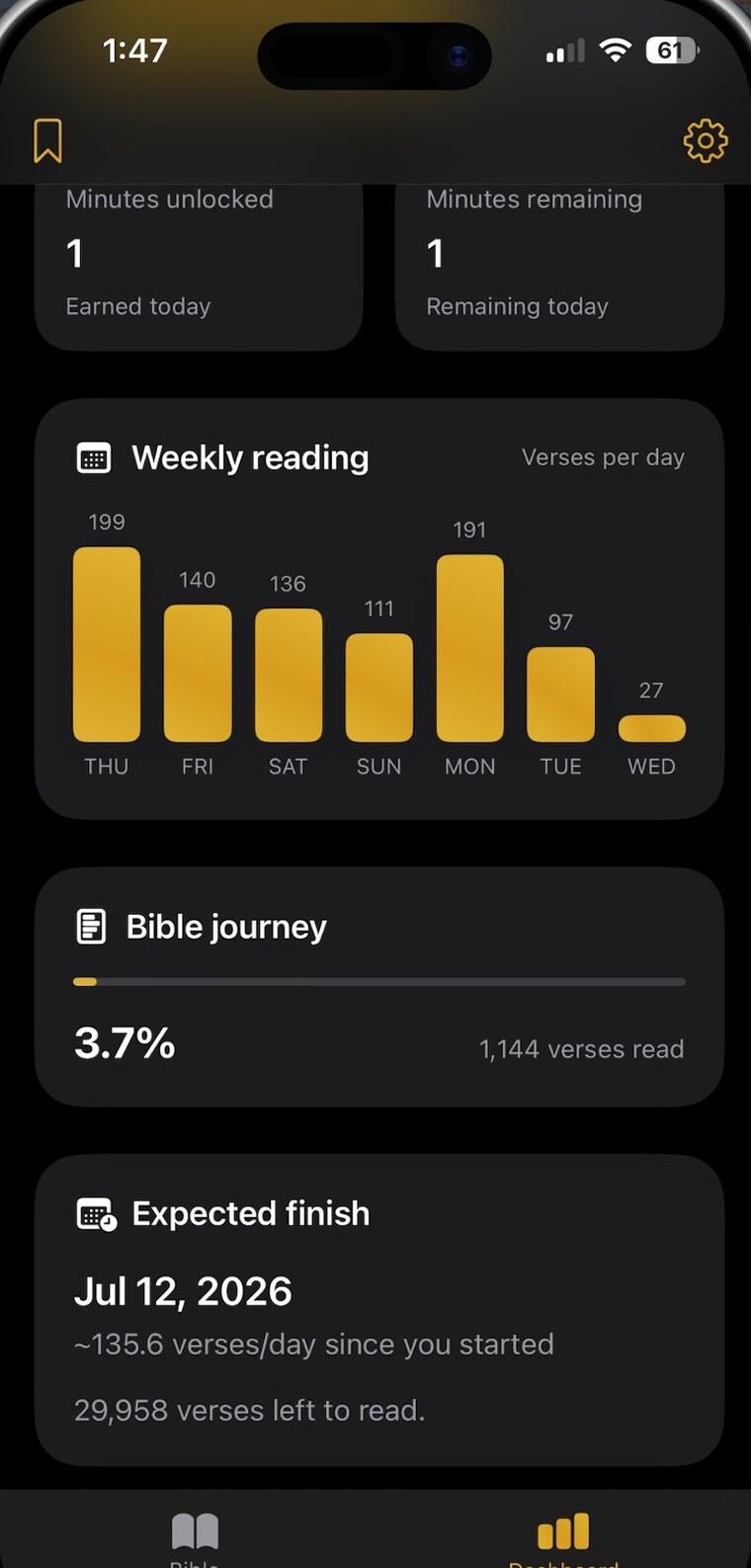
Your progress
Verses read each day, how much of the Bible you've covered, and when you'll finish.
- Five translations
- BSB, KJV, WEB and ASV in English, plus the Reina-Valera 1909 in Spanish.
- Reading plans
- Start with Where to Start, The Gospels or Acts, and track how far you've come.
- A daily minimum
- Require a few verses each day before any locked app opens.
- Verse of the day
- On your dashboard every morning, and on your Lock Screen or Home Screen with the widget.
Questions
Does Bible Break really lock my apps?
Yes. On iPhone it uses Apple's Screen Time to lock the apps and websites you pick. On Android it shows the Bible Break screen over them. Either way, they open once you've read.
How much time does a verse earn?
One minute by default. In settings you can make each verse worth anywhere from 15 seconds to a full minute.
Can I read from a paper Bible?
Yes. Turn on physical Bible reading in settings, then mark whole chapters as read in the app after you've read them in print.
What does it cost?
Reading the Bible in the app is free. Locking apps needs Bible Break Premium, and the yearly plan starts with a 3-day free trial. The app shows the price for your country before you subscribe.
A friend sent me an invite code. Where do I enter it?
Bible Break asks who invited you while you set it up. If you skipped that step, open Settings and tap Have an invite code? within 30 days of installing. Referral Program Terms